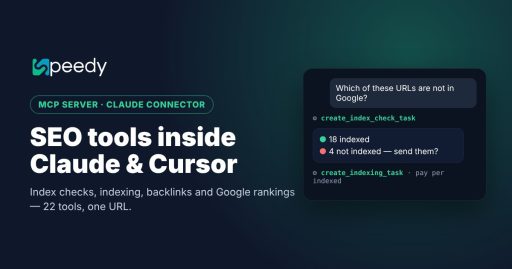
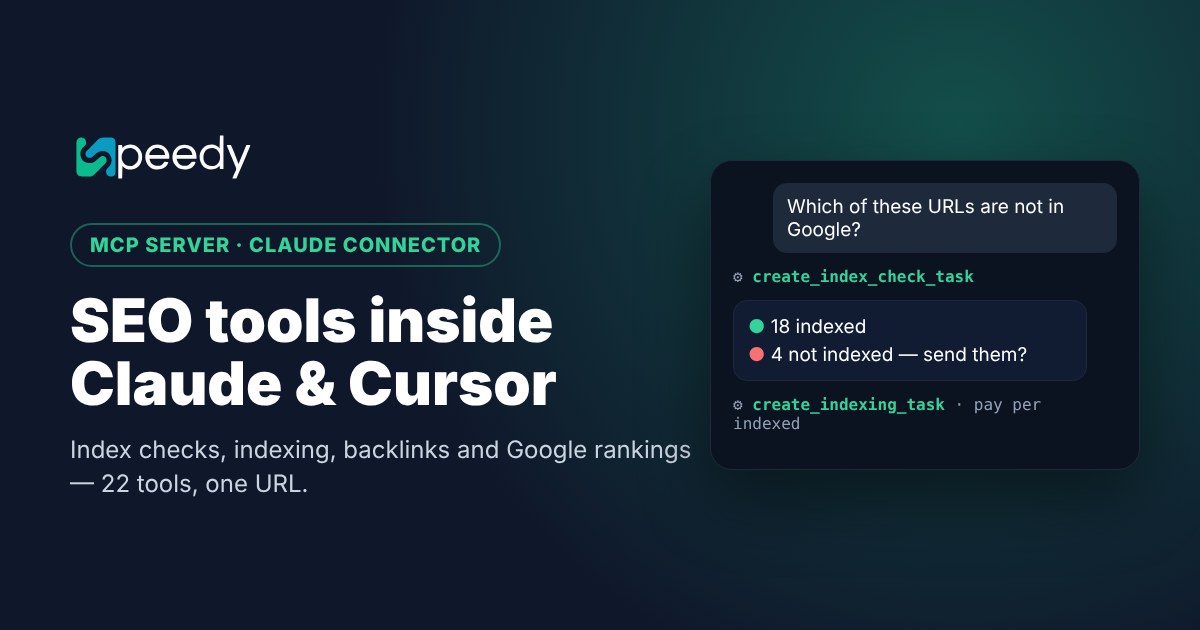

A bulk index check in Claude is only useful if you can read the result quickly. The overview of the SpeedyIndex MCP connector describes 22 tools that turn index monitoring into plain-language answers: indexed and not-indexed lists, page titles for Google, and an expandable tool call that shows exactly what the assistant ran. This article explains what those reports contain, which prompts produce clean tables, and what to check before you act on the output.
You do not need to paste a CSV export and ask the model to guess. With the SpeedyIndex connector, Claude can call the index check tool itself, receive real index status from the service, and then format the answer as a table, bullet list, or short client summary. The key is asking for the right level of detail.
What a Claude index check report shows
When you ask Claude to check a list of URLs, the assistant creates an index check task for up to 10,000 URLs and then reads the report. The result is not a score or probability. It is a split between URLs that were found in the index and URLs that were not found.
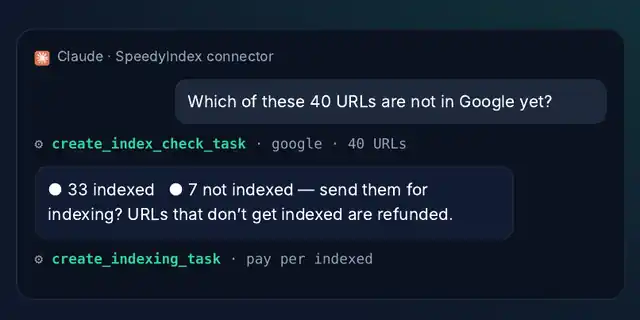
The exact output depends on the engine. Google checks can include page titles for the checked pages. Yandex and Bing checks return the same core lists of indexed and not-indexed URLs; the connector page mentions page titles only for Google checks.
| Engine | Report lists | Extra detail |
|---|---|---|
| Indexed URLs, not-indexed URLs | Page titles for the checked pages | |
| Yandex | Indexed URLs, not-indexed URLs | — |
| Bing | Indexed URLs, not-indexed URLs | — |
The page titles matter because they help you spot when Google has indexed an old title, a duplicate version, or a page you did not intend to rank. If a title looks wrong in the report, treat that as a cue to check the live page before making indexing decisions.
Prompts that make the report easy to read
Claude can format the same tool result in many ways. The prompts below all use the same underlying index check, but they produce different outputs.
“Here are 30 blog URLs. Check them in Google and give me one table: URL, status as indexed or not indexed, and the page title Google reports when available.”
“Check these product pages in Bing and Yandex. Show the results side by side by engine, and mark any URL that is missing from both.”
“From the list you just checked, return only the not-indexed URLs. Sort them by site section and add a column for the page title if Google returned one.”
“After the check, summarize the result for a client: how many URLs were checked, how many are indexed, and which missing pages are the most important to send for indexing.”
The first prompt is best for day-to-day SEO work. The second is useful when you need a cross-engine view. The third prompt helps you turn a large report into a short reindexing list, and the fourth turns the same data into a client-ready paragraph.
The paid confirmation appears before the report
Index checks are not pure read-only operations. The tool that starts a check is create_index_check_task, and it is one of the tools that spend tokens. Because of that, Claude asks for confirmation before running it unless you have already set that tool to “Always allow.”
Once the check has run, reading the result with get_task_report does not spend tokens. In practice, this means you will usually see a confirmation prompt before the report appears. If you are testing the connector or running a large batch, watch for that confirmation: until you approve it, the check has not started.
The connector itself is free to add, and new accounts get 100 free tokens. Paid tasks use SpeedyIndex tokens, and Claude shows the tool call it wants to make. If you do not want to run a paid tool, you can reject that call and rephrase the request to use only read tools.
What can go wrong
A few issues can make an index report look confusing or prevent it from appearing at all.
- Claude gives a confident answer, but you do not see a tool call. A plausible answer alone does not prove that a real check ran. Ask Claude to show the
create_index_check_taskcall and theget_task_reportresult. - The API key was pasted with spaces. The connector page recommends pasting it again without spaces if sign-in is rejected.
- The OAuth Client ID and Secret fields were filled in. Leave them empty; the server registers clients automatically.
- The sign-in page expired. It is valid for 10 minutes. If it expired, remove the connector and add it again.
These are the most common causes of a missing or untrusted report. If the tool call is visible and the report includes indexed and not-indexed lists, you can treat the result as coming from the service, not from the model’s memory.
FAQ
Can Claude check whether my pages are indexed in Google?
Yes. Ask it to check a list of URLs, and it can create an index check task for up to 10,000 URLs. The report returns indexed and not-indexed lists, with page titles available for Google checks.
Does reading an index report cost tokens?
Reading an existing report with get_task_report is a read-only action and does not spend tokens. Starting a new index check with create_index_check_task spends tokens, which is why Claude asks for confirmation unless you chose “Always allow.”
Do I get page titles for Yandex and Bing checks?
Page titles are mentioned on the connector page specifically for Google checks. Yandex and Bing return the indexed and not-indexed lists, but do not rely on them for page titles.
How do I turn an index check into a reindexing list?
Ask Claude to return only the not-indexed URLs. Then, if you want to proceed, ask it to send those missing URLs for indexing in a separate paid action. Google indexing is pay-per-indexed: tokens for URLs that don’t get indexed are refunded automatically. The connector page also has ready prompts for that follow-up workflow.
Conclusion
An index check report in Claude becomes useful only when you ask for structured output and verify the tool call. Start by checking five to ten URLs from one section of your site, request a table with status and page titles, and save the not-indexed list before sending anything to indexing. For one-off checks outside the assistant, use the index checking tool. Once you can read the report shape, you can move from “is this page indexed?” to a clear reindexing list without leaving the chat.
Telegram: t.me/SpeedyIndexBot · X: @speedyindexbot · YouTube: @SpeedyIndex_com · Facebook: facebook.com/speedyindexbot